New Version 1.8.0
Enhancements
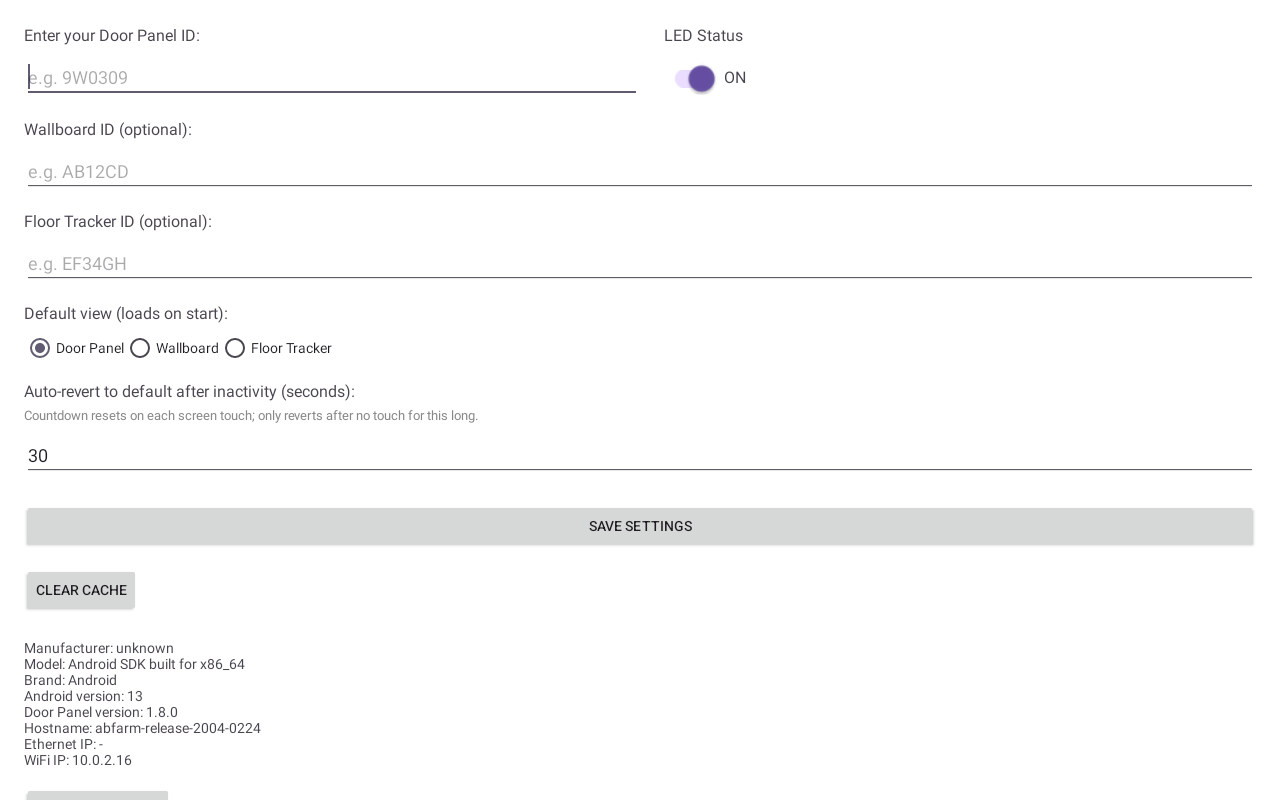
- Multiple views on one panel — a single device can now show the Door Panel, Wallboard, and Floor Tracker. Configure each ID in Settings and pick which loads by default.
- Swipe (or tap) to switch — edge-swipe left/right between views, with subtle chevron hints that can be turned off in Settings.
- Auto-return — after 30 seconds of inactivity the panel reverts to its default view; network drops and restarts also recover to the default.
- Smarter status LED — the LED only reflects room status on the Door Panel view; it switches off on the Wallboard and Floor Tracker.
- Pinch-to-zoom disabled across the app for a stable kiosk display.
- Scrollable Settings so all options are reachable on smaller screens.
The application user guide can be found here.
Was this article helpful?
That’s Great!
Thank you for your feedback
Sorry! We couldn't be helpful
Thank you for your feedback
Feedback sent
We appreciate your effort and will try to fix the article