The platform allows you to anonymise the Caller names of 3rd party companies and internal staff. To enable this on an organisation, you must set this in the Organisation menu.
Navigate to the company you want to set this for in the Organisation screen, then select the edit icon.
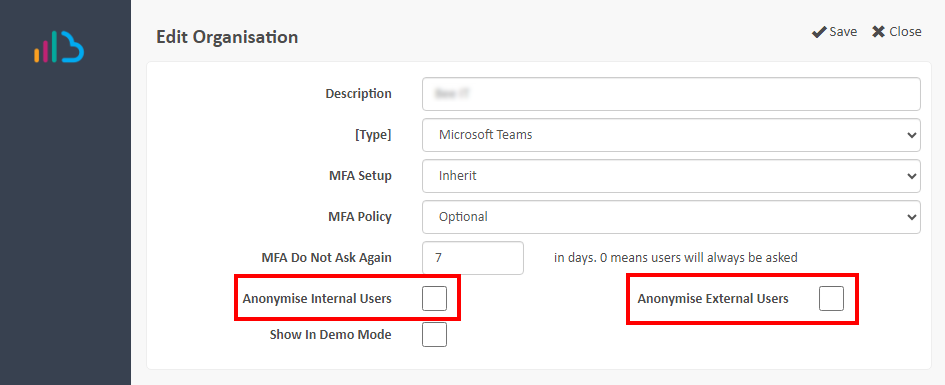
- Anonymise External Users – All external call participants will show as ‘External User’.
- Anonymise Internal Users – All internal Users not known to the solution (due to Discovery settings and filters) will show as ‘Internal User’. An example being an MTR-only deployment, where only the MTR names are shown.
Suggested next article: Security and Morbit and GDPR Information
Was this article helpful?
That’s Great!
Thank you for your feedback
Sorry! We couldn't be helpful
Thank you for your feedback
Feedback sent
We appreciate your effort and will try to fix the article