All Call Reports relate to a combined view of all video platforms enabled in the system. For example, WebEx and MS Teams in a single view.
Call List
Recent calls to or from all the Devices are listed in this screen. The default date selection is for a 14-day window, but that is easily changed by altering the dates in the selection boxes. Further filters are provided to enable you to drill-down into the data.
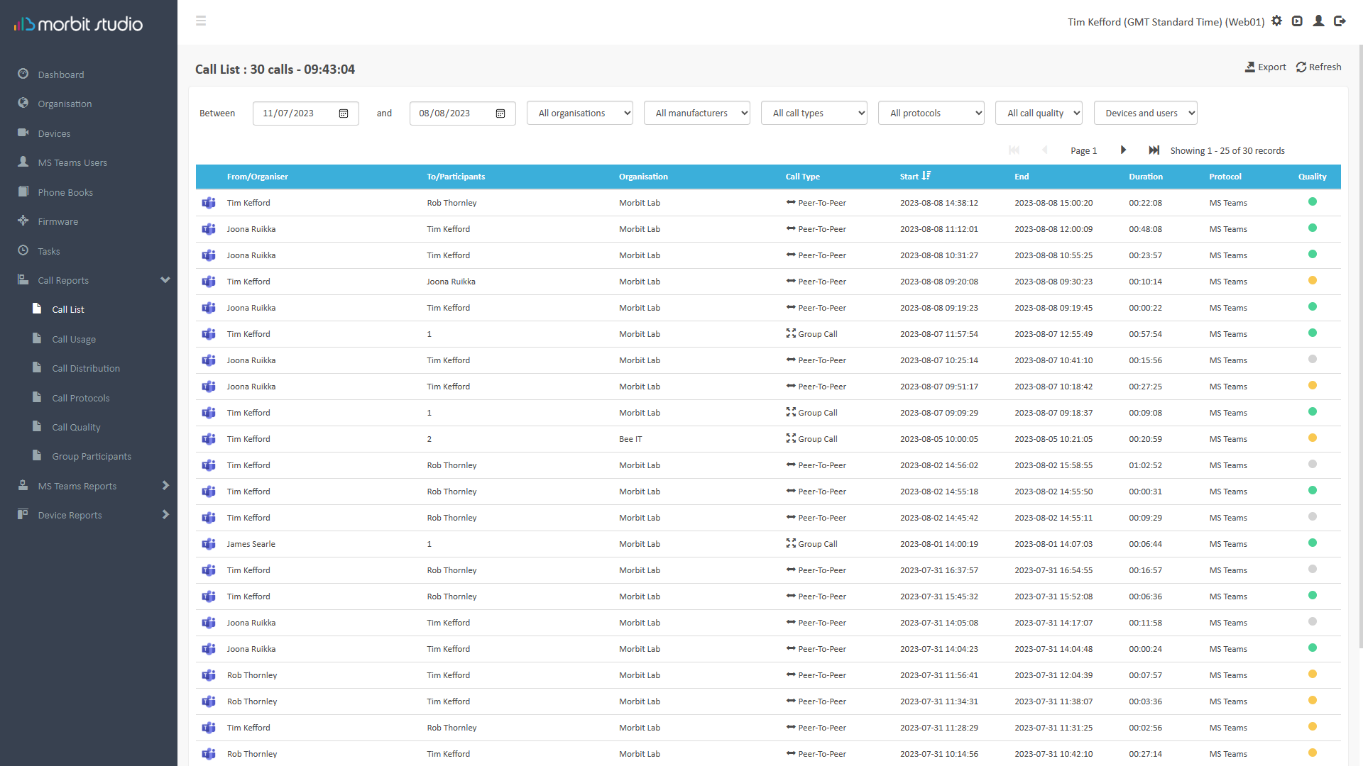
Calls in this list are rated as:
| Perceived Call Quality | Packet Loss | Jitter |
|---|---|---|
| Good | < 0.2% | <10ms |
| OK | 0.2% <> 2.0% | 10-50ms |
| Bad | >=2% | >=50ms |
| Unknown | No data provided by service | |
For the Call Type column, a Peer-To-Peer call is when Participant A calls Participant B only. Whereas the definition of a Group Call is one where the call is hosted on the video service, and we receive call metrics for all participants from that service (rather than off the Devices). This is typically when a meeting is scheduled, or a peer-to-peer call adds a third participant into the meeting, it’s re-established on the hosting platform.
You may export this call list to a CSV file by clicking the  button.
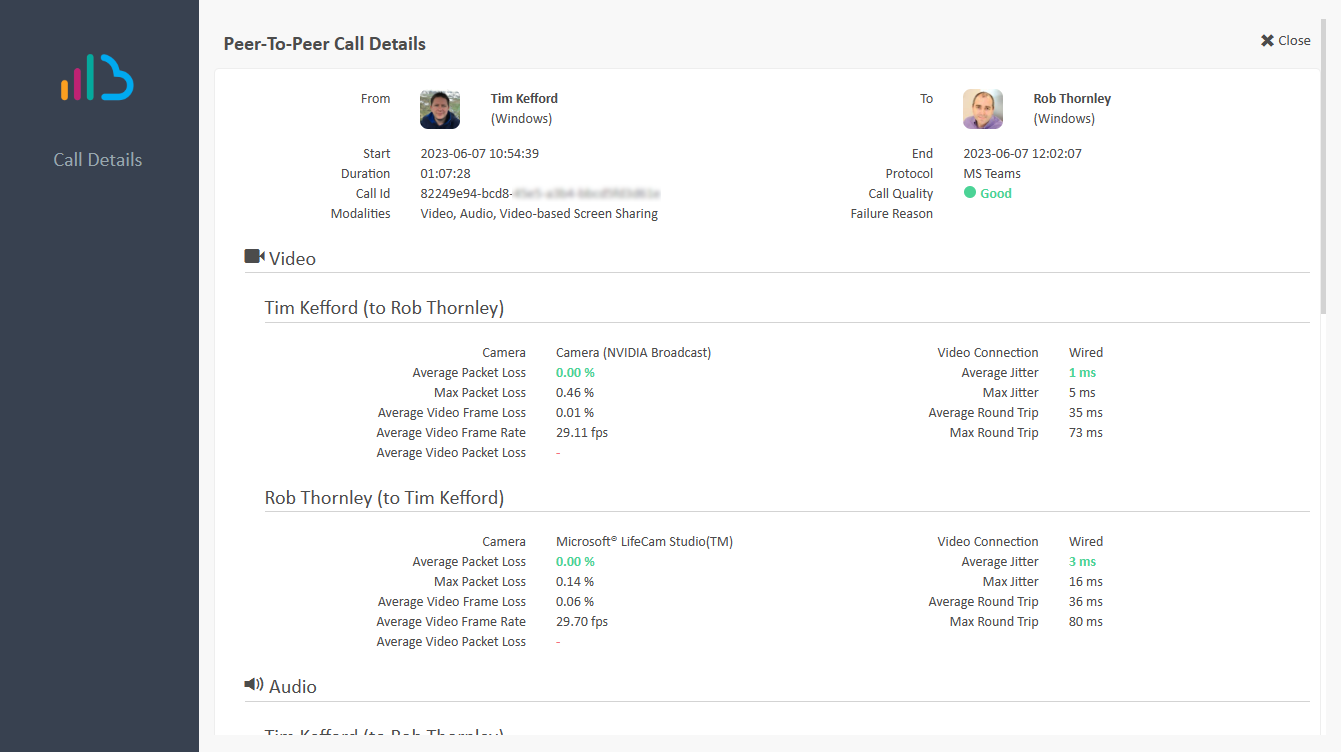
Clicking on a listed call will provide further data on that specific call including encryption levels and disconnect reasons. See example:
Caller Anonymisation
Settings are available to anonymise external and internal call participants. See Configure Call Anonymisation guide.
Call Usage
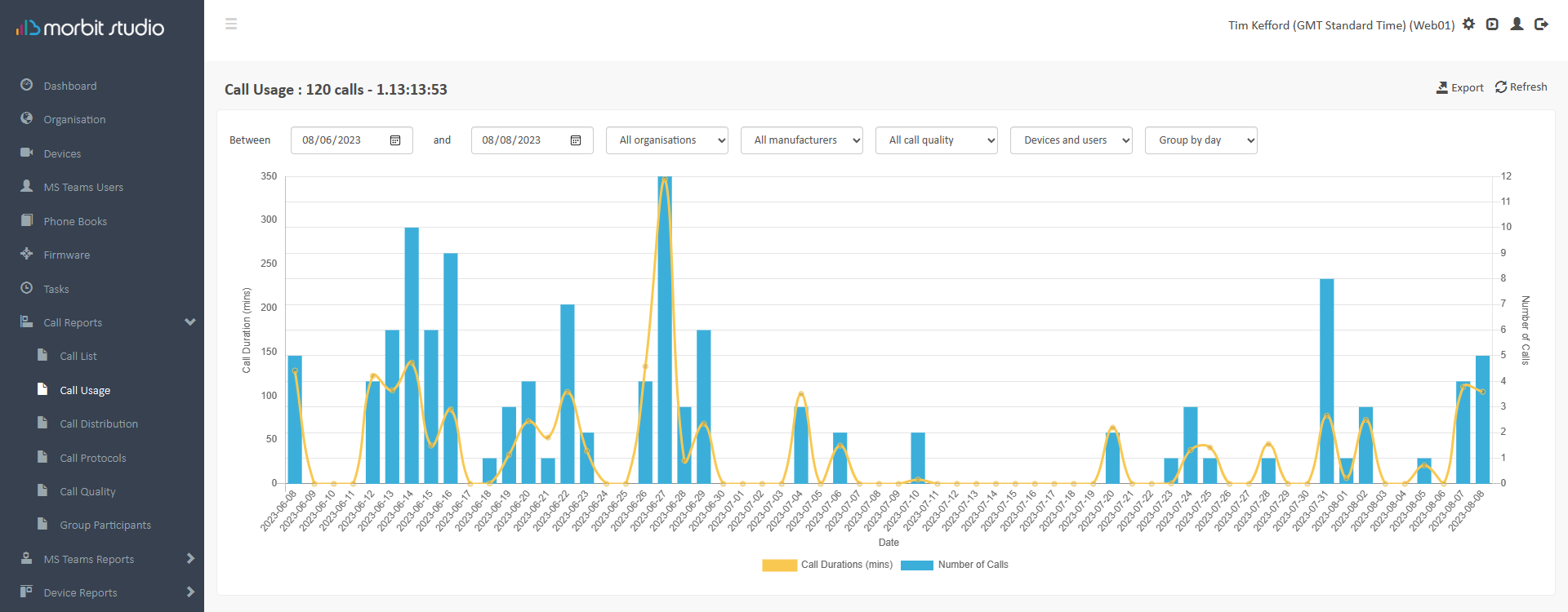
A customisable view of the numbers of total calls made by the Devices and the total call duration, broken down by day. The report helps gain an understanding of video usage over time. Filters are provided to enable you to drill-down into the data.
Clicking the data in the chart will drill-down into the specific data of that data point in the chart.
Call Distribution
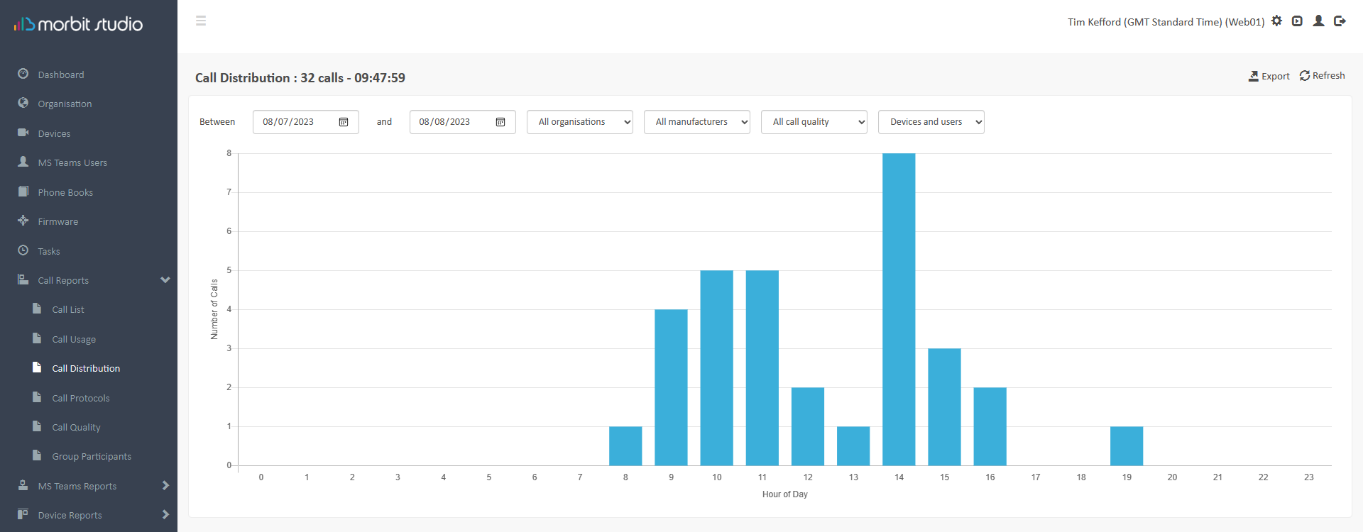
A customisable view of the most popular times of day that video calls are made. It can be used to help guide maintenance schedules. Filters are provided to enable you to drill-down into the data.
Call Protocols
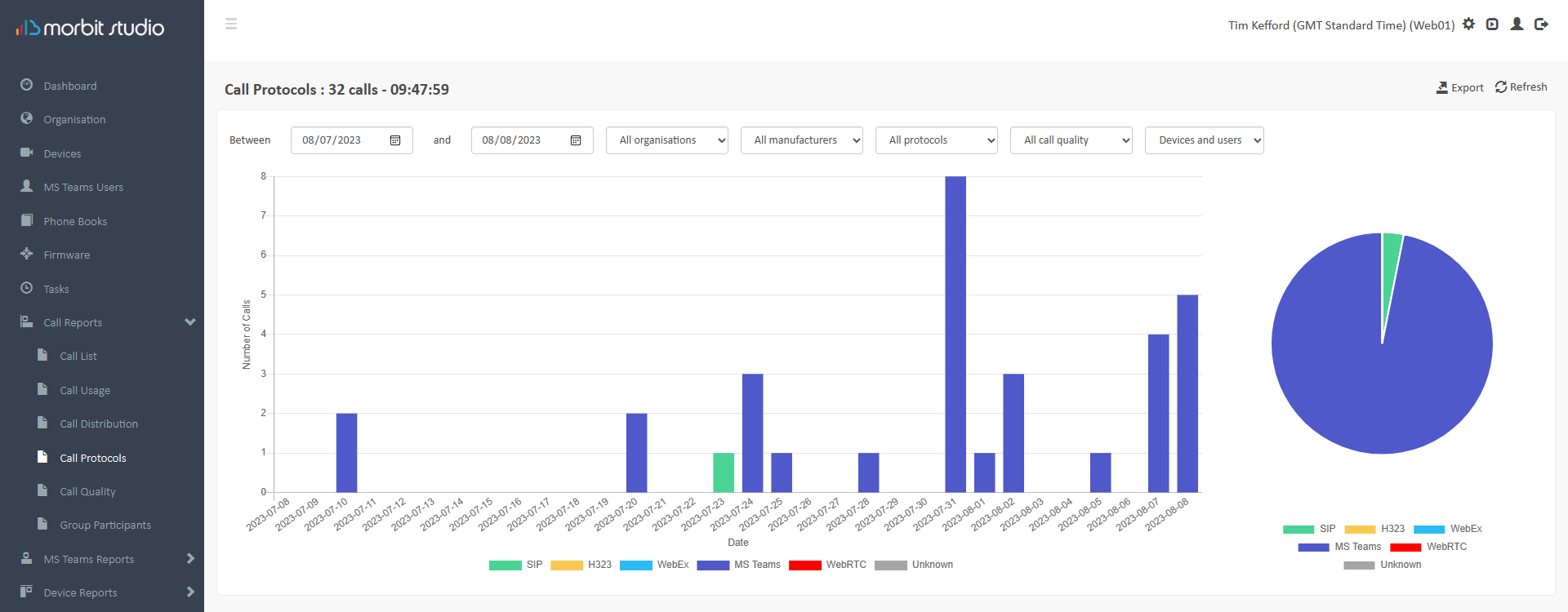
A view of the call protocols that are in use on video calls. Filters are provided to enable you to drill-down into the data. This data can be exported via the Export button.
Unknown protocol is where the Device API does not provide the detail of the protocol in the call records.
Call Quality
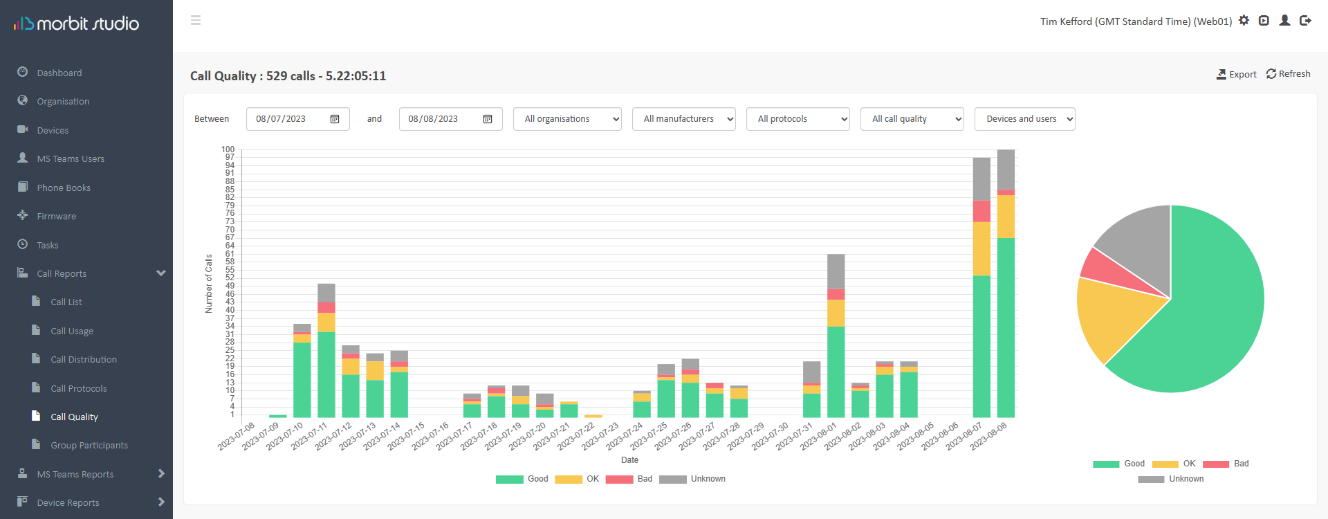
A view of the call quality of the video calls in the timeframe. Calls in this view are rated as:
| Perceived Call Quality | Packet Loss | Jitter |
|---|---|---|
| Good | < 0.2% | <10ms |
| OK | 0.2% <> 2.0% | 10-50ms |
| Bad | >=2% | >=50ms |
| Unknown | No data provided by service | |
Filters are provided to enable you to drill-down into the data and clicking the data in the chart will drill-down into the specific data of that data point in the chart. This data can be exported via the Export button.
Unknown quality is where the Device API or video platform does not provide the packet loss or jitter metrics in the call records.
Group Participants
A visual graph to report on the participant sizes of a group call and allowing for an understanding of the scale of calls being undertaken. This data can be exported via the Export button.
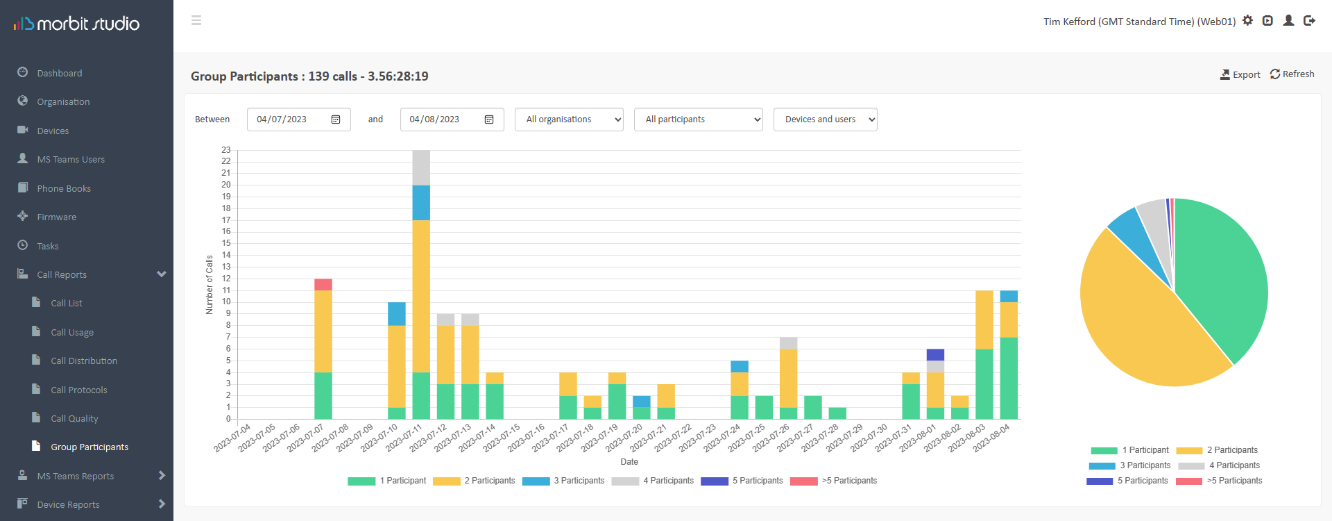
Shown in the example above, most calls here at either 2 or 3 participant calls.
Suggested next article: MS Teams Reports Guide
Was this article helpful?
That’s Great!
Thank you for your feedback
Sorry! We couldn't be helpful
Thank you for your feedback
Feedback sent
We appreciate your effort and will try to fix the article