- Login to the platform at https://studio.morbit.co.uk with the account provided to you
- Select System, then the Configuration menu item, then select ‘Add Organisation’
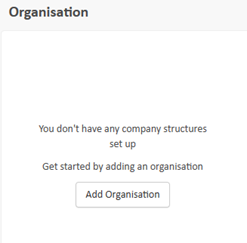
- Provide the name of your company (or the one you will be managing if you are a service provider), select the license Type and click ‘Save’. Where:
- Full License – allows all features
- MS Teams – allows for monitoring, management and reporting on MS Teams tenants only
Suggested next article: Create and Configure a Network
If you are setting up an MS Teams and/or Zoom only service, you can skip to Set Up a Microsoft Teams Tenant or Set Up a Zoom Account.
Was this article helpful?
That’s Great!
Thank you for your feedback
Sorry! We couldn't be helpful
Thank you for your feedback
Feedback sent
We appreciate your effort and will try to fix the article